Looping Parameters
Looping parameters is used to set hand-eye calibration poses. It is located in certain hand-eye calibration group under Calibration category in setup mode.
AlignPlus can generate applications where the application generates the poses during hand-eye calibration. The poses contain the recommended translation only poses and rotation only poses. The poses are determined by the following parameters
• The maximum and minimum limits for the X axis, and the number of samples when moving between the two limits
• The maximum and minimum limits for the Y axis, and the number of samples when moving between the two limits
• The maximum and minimum limits for the Theta axis, and the number of samples when moving between the two limits(The rotation angle here is right-handed, which means positive angle is from positive x axis to positive y axis).
Default Loop
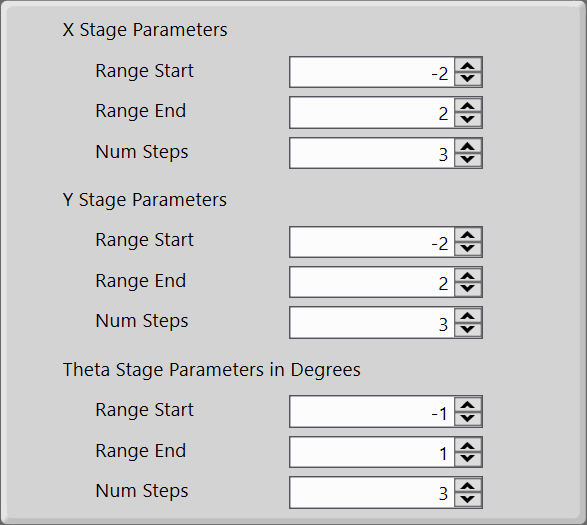
The setting that is shown below shows the default values for the above parameters, it requires motion device to move along X, Y and Theta axes to run through all sample points.
The figure below shows the path that will be taken by the motion device for default motion parameters.
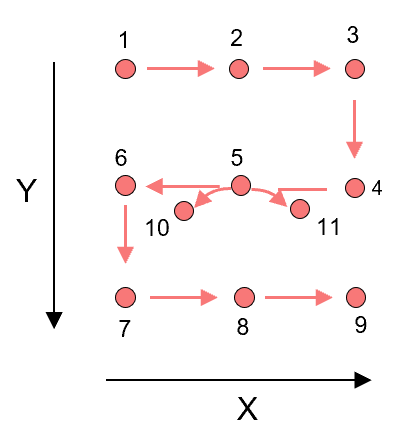
The coordinates of each point are listed below:
| Calibration Point | X | Y | Theta |
|---|---|---|---|
| 1 | -2 | -2 | 0 |
| 2 | 0 | -2 | 0 |
| 3 | 2 | -2 | 0 |
| 4 | 2 | 0 | 0 |
| 5 | 0 | 0 | 0 |
| 6 | -2 | 0 | 0 |
| 7 | -2 | 2 | 0 |
| 8 | 0 | 2 | 0 |
| 9 | 2 | 2 | 0 |
| 10 | 0 | 0 | -1 |
| 11 | 0 | 0 | 1 |
- The second point of rotation is (0,0,0) which is the same of point 5, thus this point is ignored when for rotation iteration.
Loop With Two Axes
X-Theta Loop Parameters
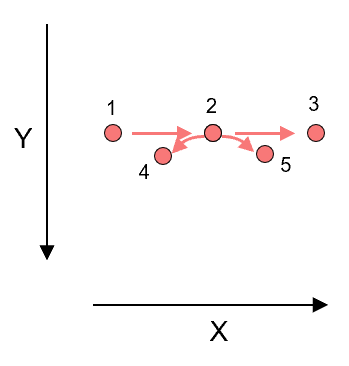
When there are only X and Theta axes in the motion device, the maximum and minimum limits of Y axis should be set both as 0, and number of steps should be set as 1.
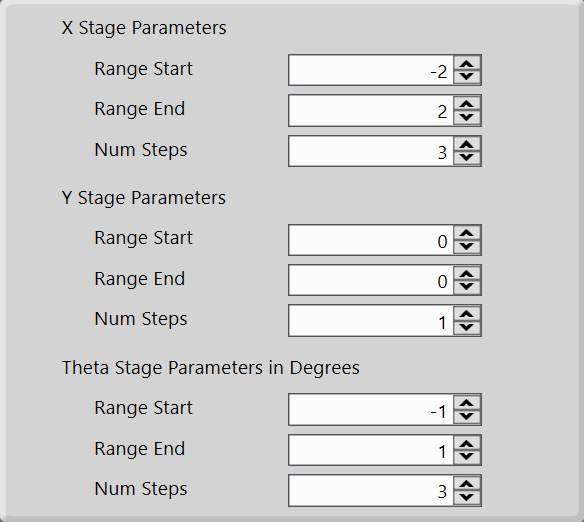
The figure below shows the path that will be taken by the motion device for above motion parameters.
Y-Theta Loop Parameters
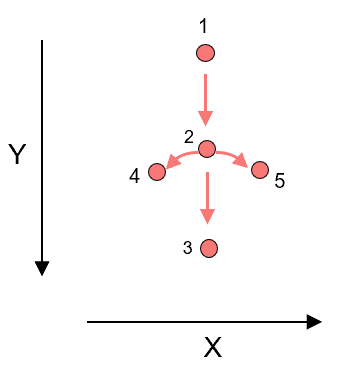
If it's a Y-Theta motion device, then the setting should be as below:
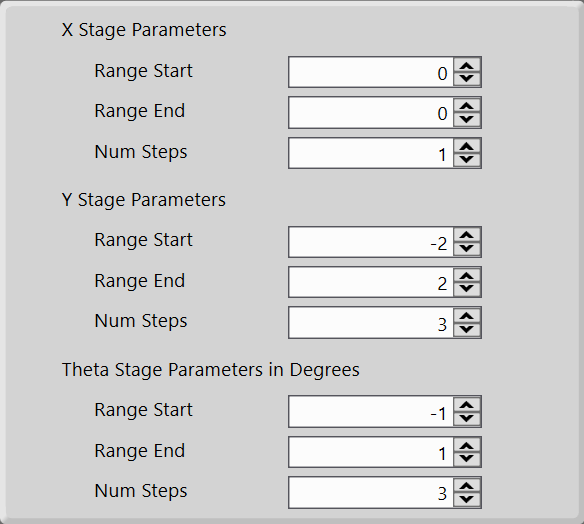
The figure below shows the path that will be taken by the motion device for above motion parameters.
X-Y Loop Parameters
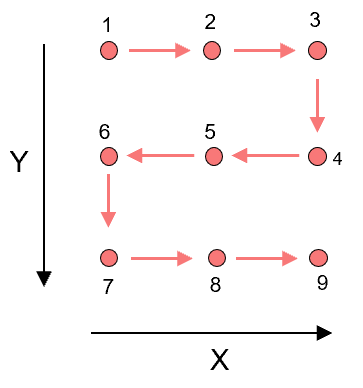
If the motion device has only X and Y axes, then the limits of Theta should be set as 0, and steps should be set as 1.
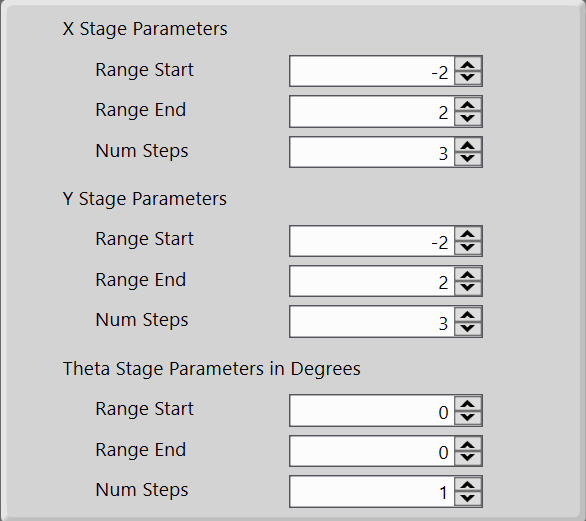
The figure below shows the path that will be taken by the motion device for above motion parameters.
Loop With Single Axis
When there are only one axis in a motion device, then just set the all limits of unavailable axes as 0, and their number of steps as 1. Here is an example of only X axis.
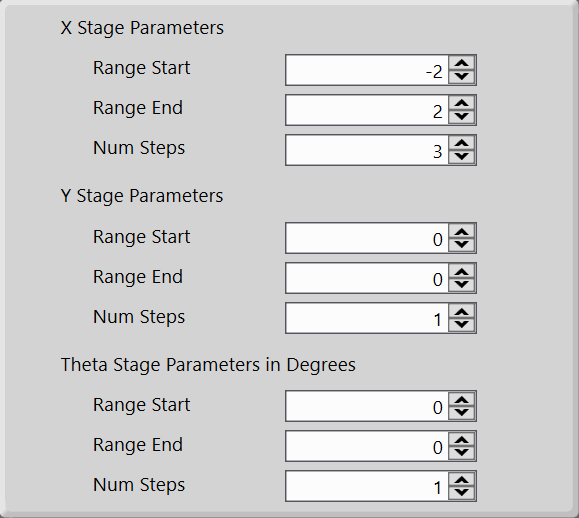
The figure below shows the path that will be taken by the motion device for above motion parameters.